How Do I Change My Excluded Items For My Next Order?Updated 3 months ago
At Farmers Pick, we want to ensure that your box contains as much of what you love (and less of what you don’t!). Changing your excluded items is a simple process. Here’s how to do it:
How To Change Your Excluded Items
Log into the Portal: Start by logging into your customer portal and heading to the My Overview page.
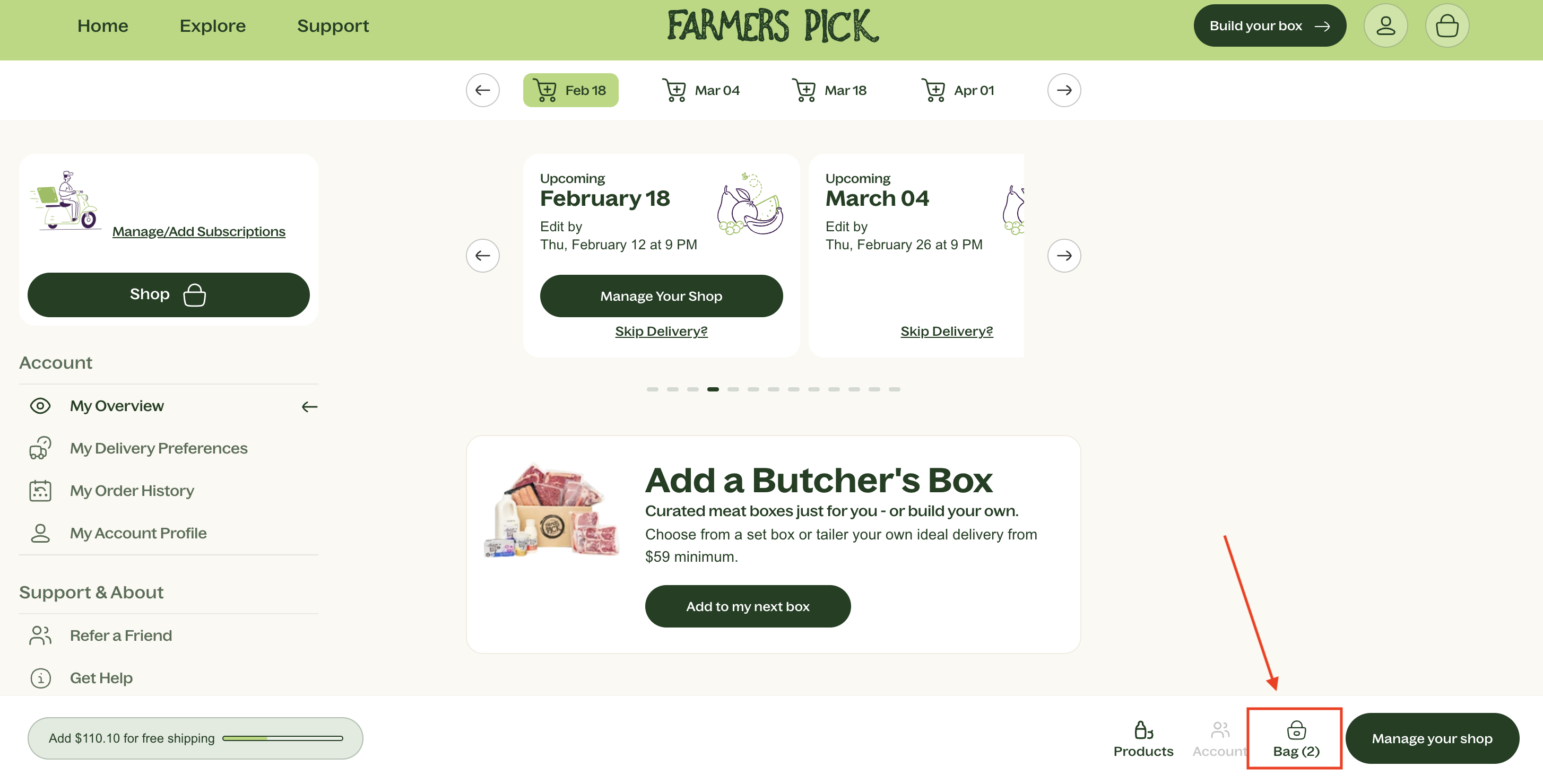
Manage my Shop: Once you’re in your overview, you can add any pantry or fridge items if you choose. Remember, there’s free shipping on orders over $175! After selecting your items, click your 'Bag'.
Click on your Bag: On this page, you’ll see the bag icon at the bottom of the screen. Click the button to edit your order before the editing deadline
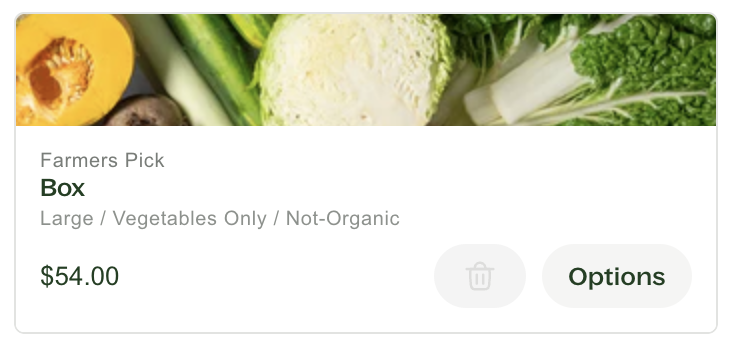
Options: Click the Options button on the produce box subscription.
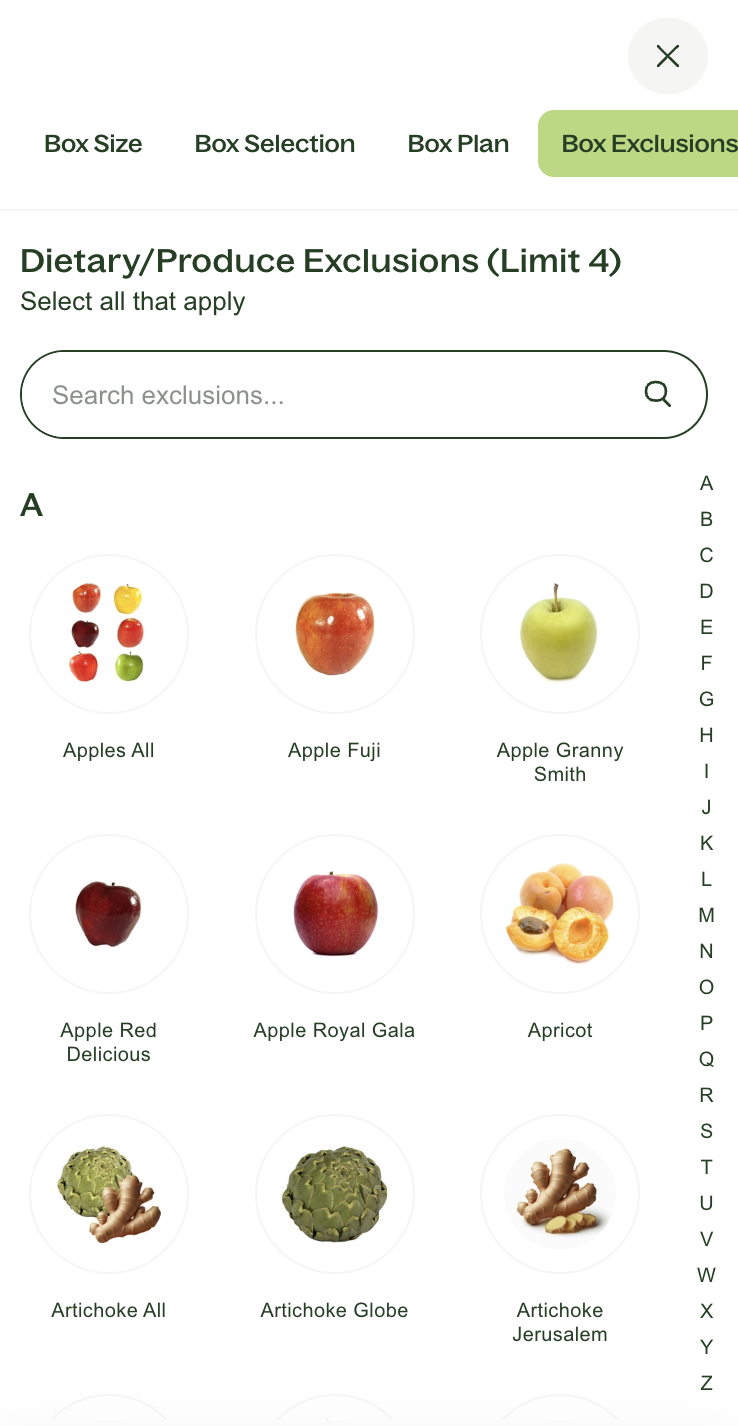
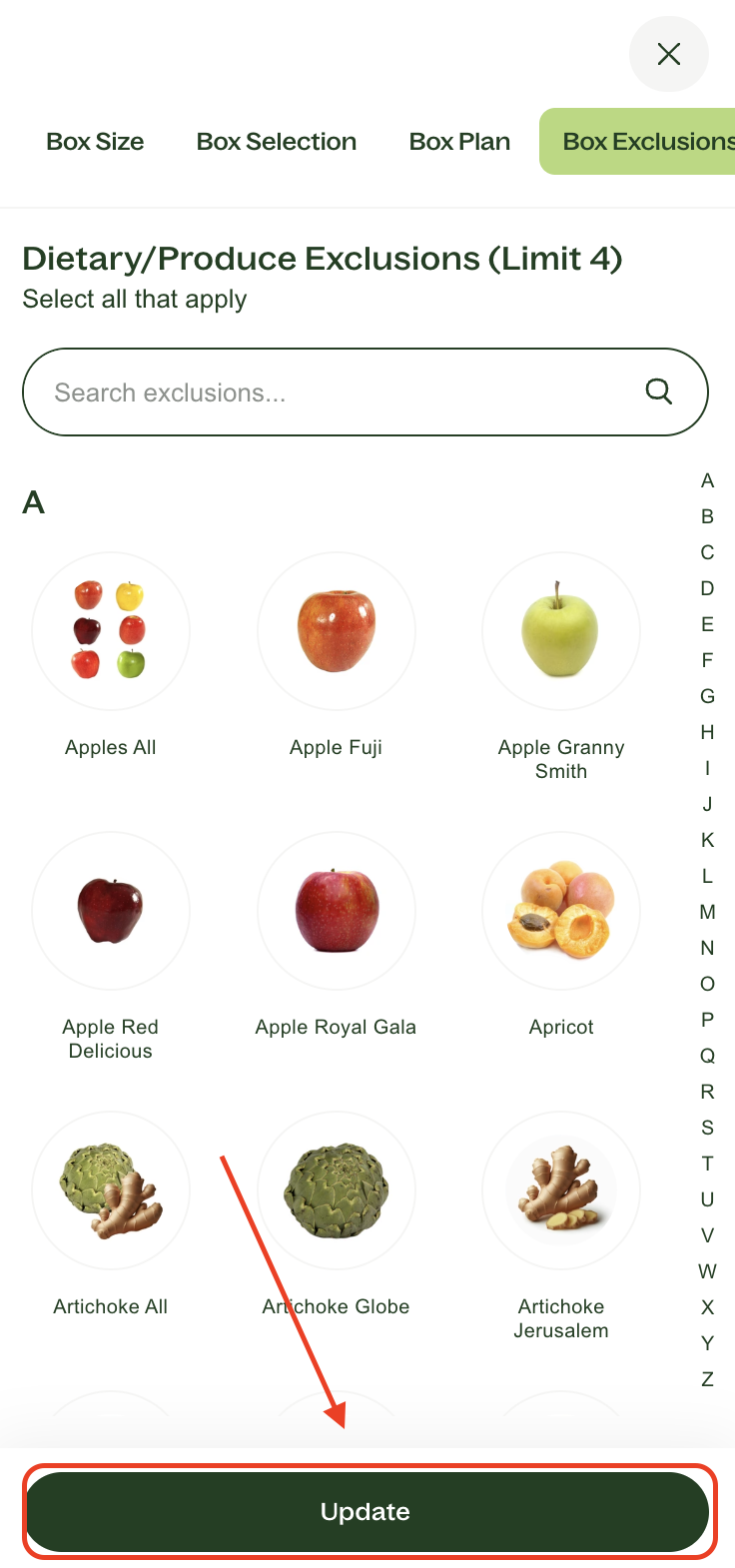
Select Your Exclusions: Click on the 'Box Exclusions' tab, then type or scroll through the various exclusions and click on the image of up to 4 items which you would like to have removed from your produce box.
Hit Update: Once you are happy with your box, don't forget to click on Update at the bottom so these changes save, and are applied to your next processed order.
Can You Replace My Excluded Items With Produce I Do Want?
After careful consideration and testing this option with our warehouse in the past, we regret to inform you that this isn’t something we can fulfil. Our primary focus is on supporting our farmers by rescuing produce that has been rejected, which often depends on seasonality, stock availability, and climate conditions affecting our growers. To minimise waste and ensure a consistent experience for our subscribers, we concentrate on removing items you don’t want from your order.
Need Assistance?
If you're ever unsure or have questions about changing your excluded items, don’t hesitate to reach out to our friendly customer experience team. We’re here to help you make the most of your Farmers Pick experience!
Thank you for being part of our Farmers Pick community!