How Do I View And Edit My Upcoming Order?Updated 3 months ago
Editing your next order is easy and allows you to customise your box to suit your preferences!
Box type: You can chose whether you wish to receive a produce box (fruit only, vegetable only, combined) and/or a meat box.
Box size: You can update your box size (small, medium, or large) or with the meat subscription you can even create your own box.
Organic produce: select whether your produce box is organic
Produce exclusions: review or change up to four excluded fruits or vegetables.
Plus, you can add or remove pantry and fridge items, deciding whether they’re a one-off addition or for all future orders. We have free shipping for orders over $175!
How to View and Add Item to Your Upcoming Order
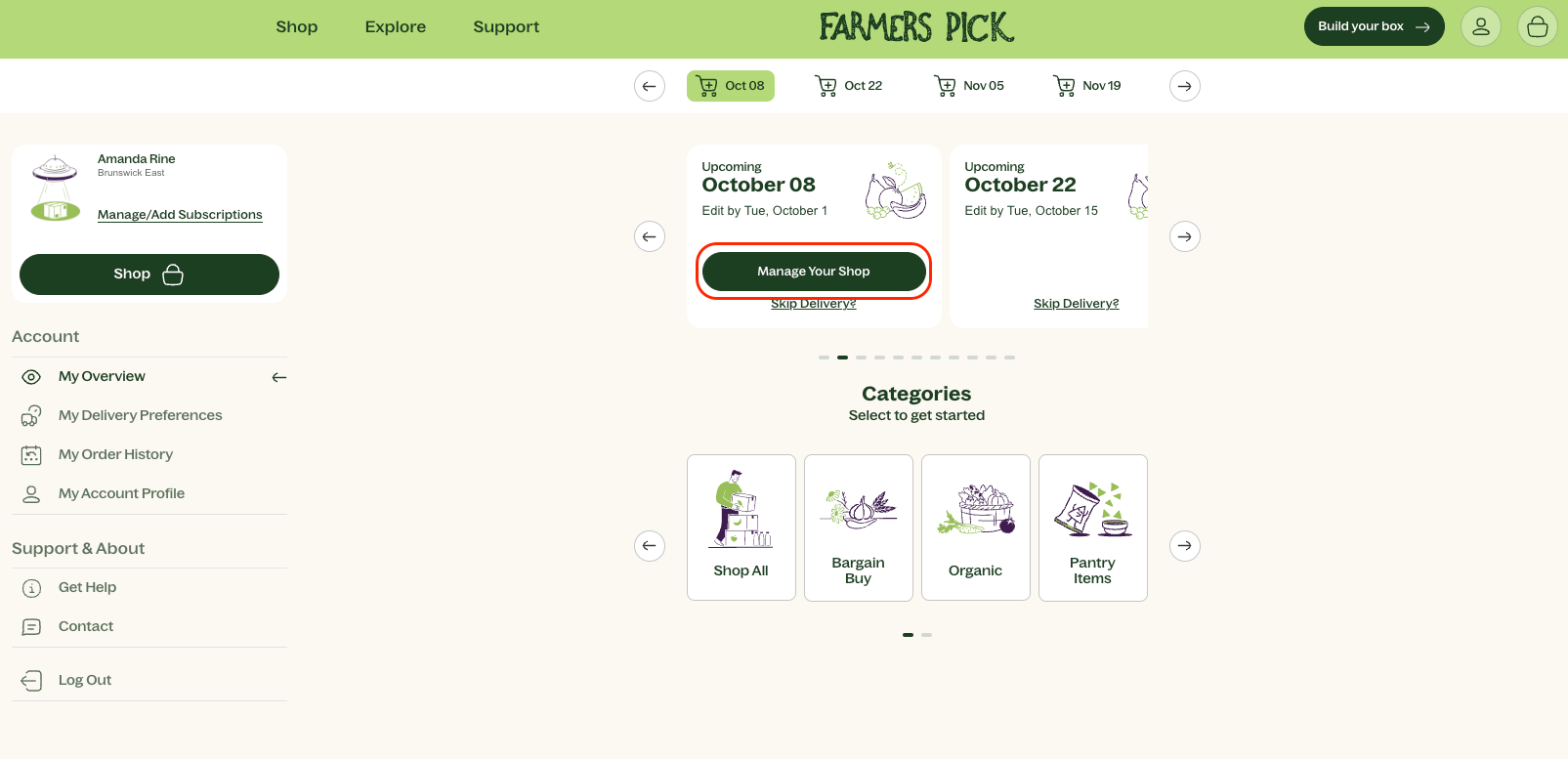
Log into the Portal: Start by logging into your customer portal and heading to the My Overview page.
Manage Your Shop: On this page, you’ll see the option to manage your shop. Click the button to edit your order before the editing deadline.
Enter Edit Mode: Once you’re in edit mode, you can add any pantry or fridge items if you choose. If you wish to make the item a regular thing, ensure you click on the "Subscribe?" button below the item, otherwise leave it as is for a one off experience.
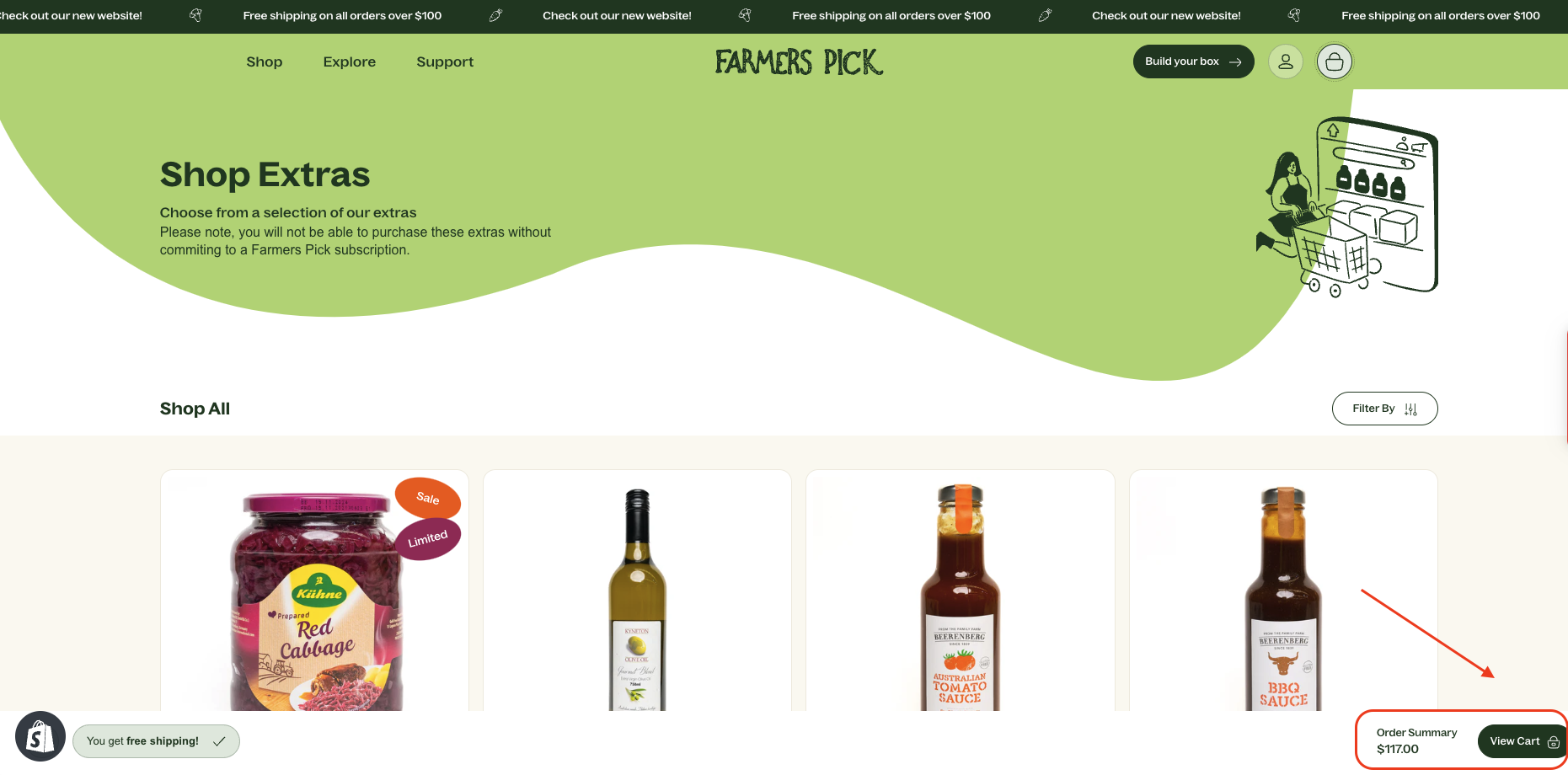
Free Shipping: Remember, there’s free shipping on orders over $175! After selecting your items, click View Cart.
How to Change Your Box
View Upcoming Order: To be able to make edits to your subscription, click on View Upcoming Order.
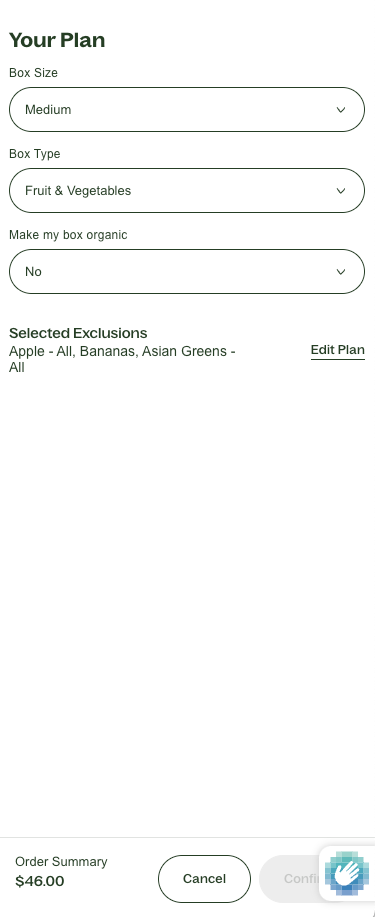
Update Your Plan: Click the Update Plan button.
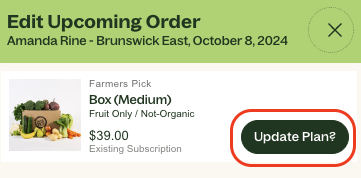 Here, you can update:
- Box Size: Choose from small, medium, or large (or for meat boxes you can customise your own).
- Box Type: Select from meat only, fruit only, vegetables only, or a combined box.
- Organic Options: Opt for organic produce if you prefer.
- Excluded Items: Review or change up to four excluded fruits or vegetables.
⚡ Important Note
Any changes made to your upcoming order will apply to all future orders. If you want these changes to be a one-time adjustment, make sure to log back into your portal to make changes for the following box before the edit date deadline.
Need Help?
If you have any questions or need assistance editing your order, don’t hesitate to reach out to our friendly customer experience team. We’re here to help you make the most of your Farmers Pick experience!
Thank you for being part of our Farmers Pick community!